← All Figma plugins

Indexly / A Figma plugin by RAIKEN

A table of contents for your Figma file.

Indexly turns pages, sections and frames into a linked index. Give teammates a starting point in a large design file, or create an overview of your components.
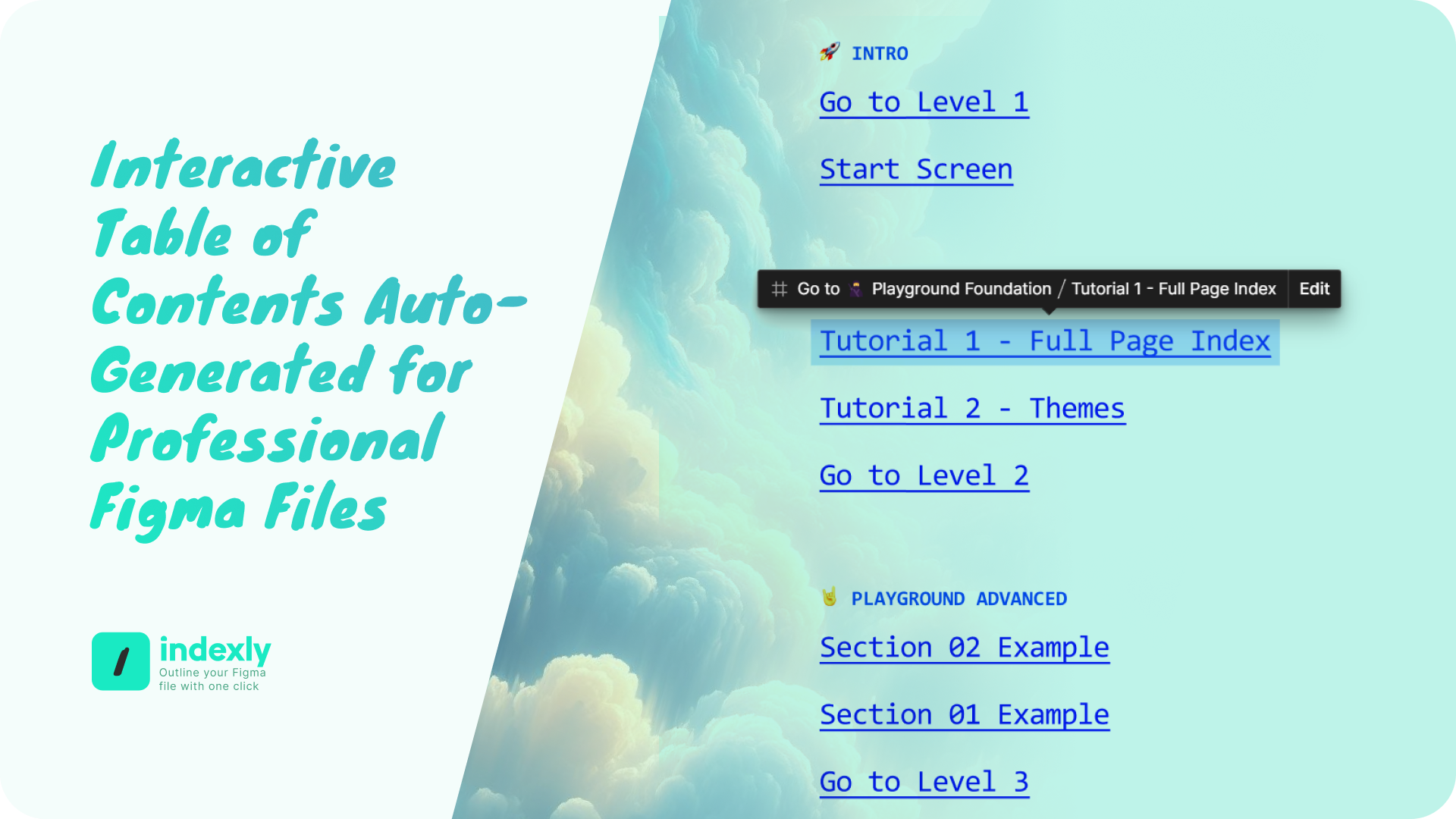
Indexly generated table of contents with links to sections in its Figma playground.
Linked index output from the official Indexly gallery. View the official gallery ↗

Make the structure visible.

A starting point for handoff

A starting point for handoff

Create a file index so reviewers can follow links to the relevant pages and sections.

An overview of one page

An overview of one page

Build a table of contents for a page with frames and sections spread across the canvas.

A component reference

A component reference

Use component and component-set indexes to map a design system and its variants.

Getting started

Create your first index.

  1. Open Indexly from Figma Community in the file you want to organize.
  2. Choose a page or file index, then choose which pages, sections and frames to include.
  3. Create the index and follow its links to check the structure with your own content.

A few useful details

Does Indexly work in FigJam?
Yes. The published plugin supports Figma and FigJam. The available structure follows the content in the editor.
Can I index components?
Yes. Indexly includes component and component-set indexes, component maps and component-variant tables of contents.
How is it different from Bookmarkly?
Indexly creates an index on the canvas. Bookmarkly keeps a list of saved places for navigation and presentations.