Figma

Fill Your Designs.
Not Your Calendar.

No more Lorem Ipsum. No more copy-paste marathons. Contently fills content, shuffles variants, and syncs your layers. Works with or without AI.

Cartridge Base
Parallax element Parallax element
Figma Plugin icon
Figma Plugin
3/3
advanced AI

Advanced AI Workflow for content assistance

Pro tips and advanced techniques for maximum productivity

2/3
content tutorial

Advanced Smart Templates, Drag & Drop and More

Learn how to use Smart Templates, drag-and-drop content editing, smart overflow, and other features for smart content creation

1/3
plugin overview

Contently Plugin Overview

Complete walkthrough of Contently's main features and capabilities

Content Shuffle & Randomizer

Content Shuffle & Randomizer

No more placeholder content.

Save Time & Effort

Save Time & Effort

Update content across components.

Built-in Content Management

Built-in Content Management

Popular

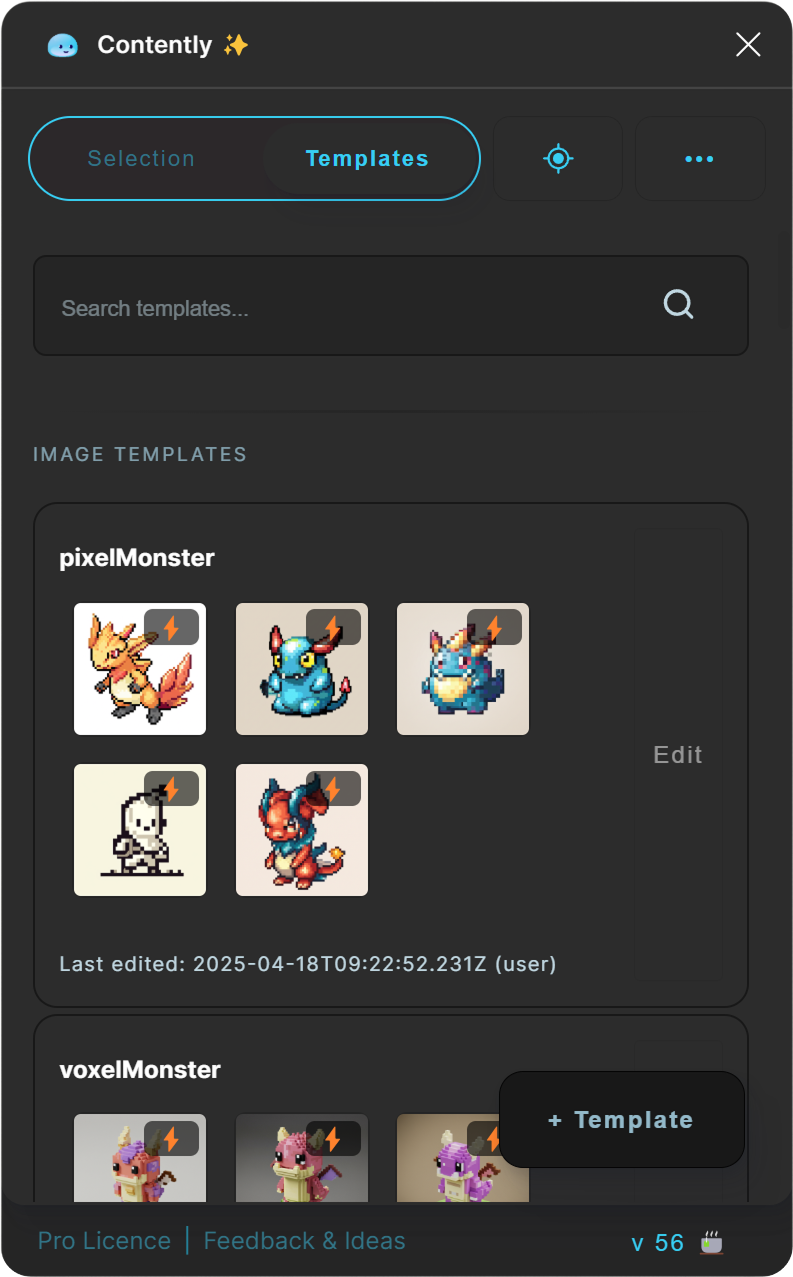
Create or use ready-made templates for faster workflows.

Instant Feedback

Instant Feedback

Optional via Pro

Actionable design tips with one click.

AI-Powered Assistant

AI-Powered Assistant

Optional via Pro

Generate text and images.

Edit anything. Drag and drop everything.

Contently auto generate groups based on the selected and nested elements so that you can edit them with ease. And even drag and drop content between them.
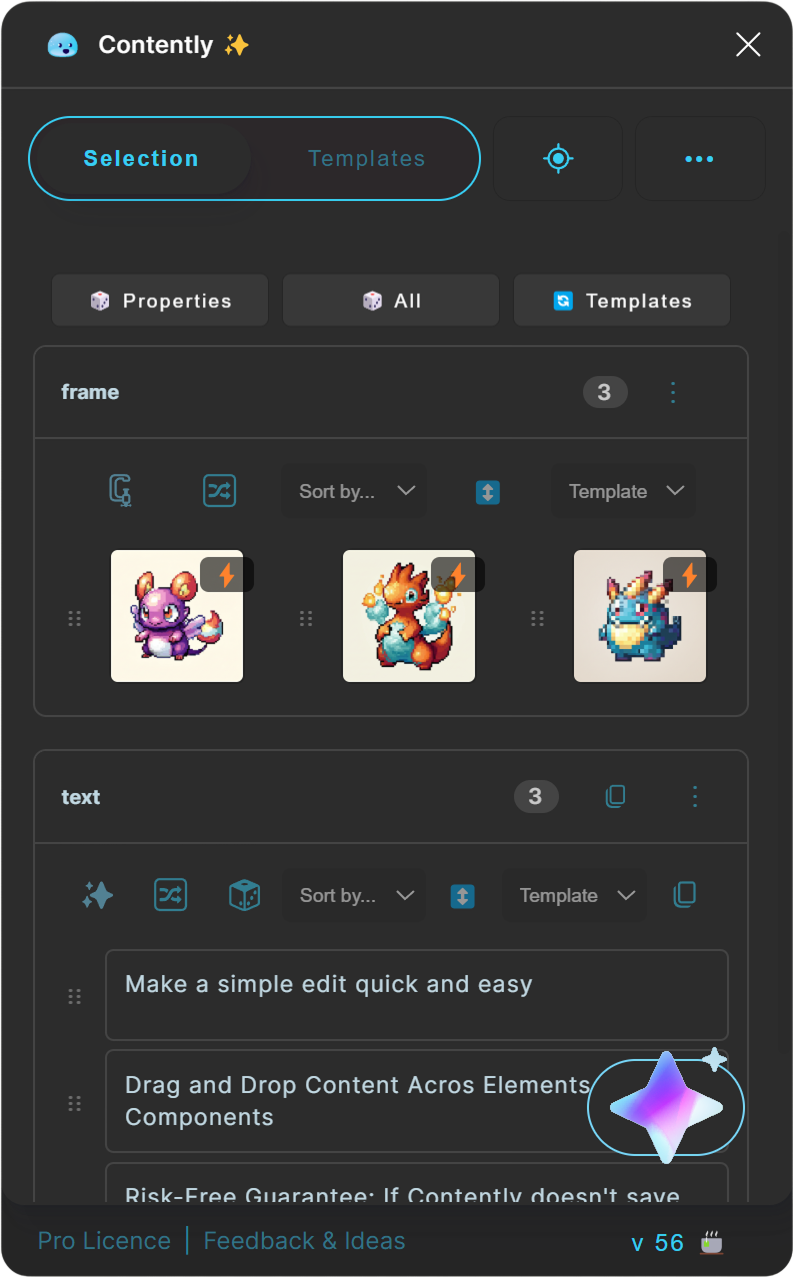
Content Creation & Management

Write and Design your own templates or let Contently create them via AI.

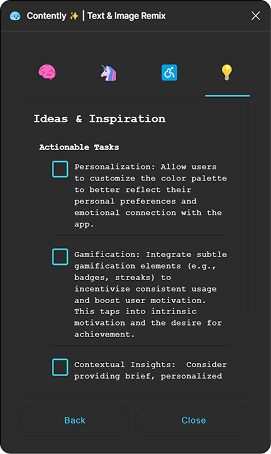
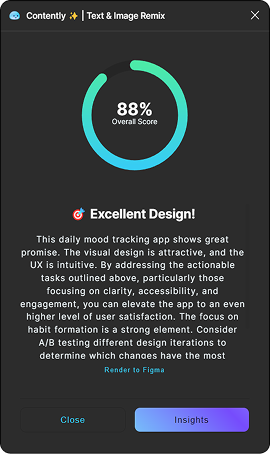
Get instant AI feedback on your work

Contently analyzes your layouts and gives you actionable improvement suggestions in real-time.
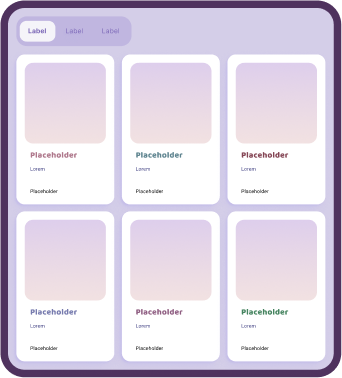
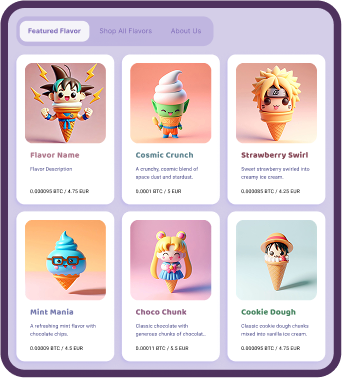
One click from empty canvas to production-ready mockups

Generate contextually appropriate content that fits your specific design needs and project context.
Choose your favorite AI Engine

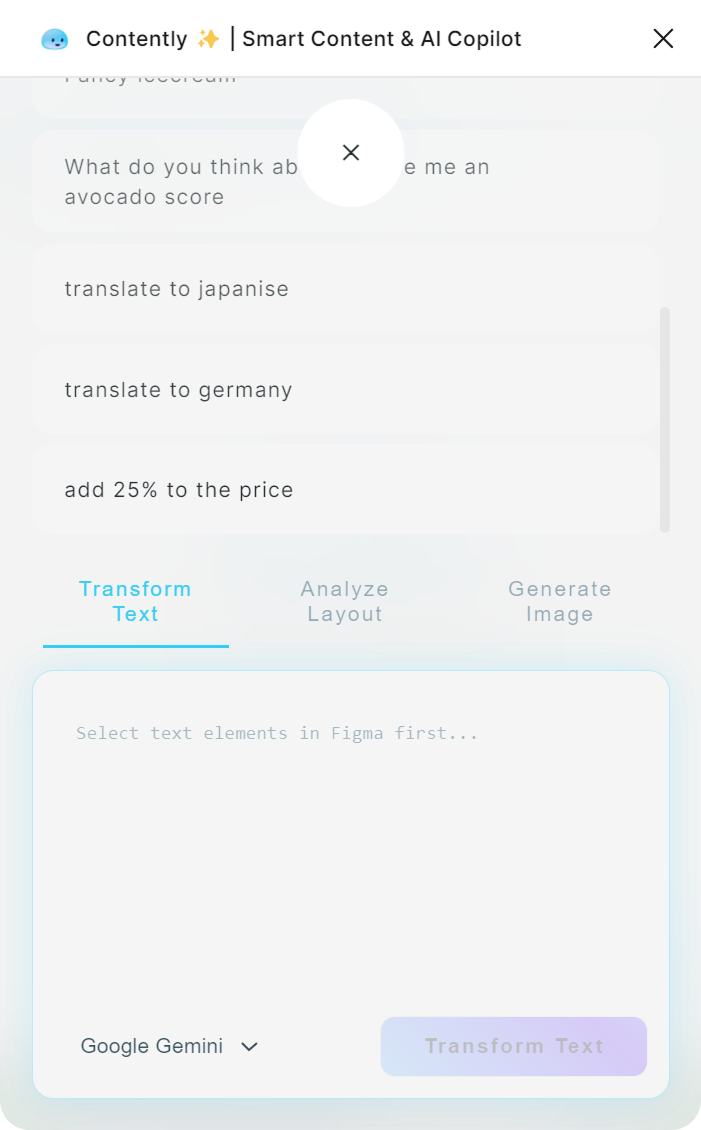
Switch between AI models to find what works for your project. GPT, Gemini, Claude, Groq — all supported.


Stop duplicating elements manually

Complete it in no time with smart overflow. Creates duplicates of your content based on the text line you paste in Contently, to create lists, filters and pages in seconds

Smart Overflow Lists Filters Content Pages Duplicates On Autopilot Generates Templates

Smart Select

Select or refine your selection without the tedious need of selecting everything manually by configuration or properties.


Figma AI
Copilot One-Time Purchase

With Pro AI features, Contently becomes a design assistant for your Figma workflow — helping you iterate, generate, and refine copy and images. Use your own API key and switch between GPT, Gemini, and Groq.

Pricing Plans

Choose the right plan that fits your needs and budget.
Pro (Solo Designers)

€14.99
One-Time Payment

Ideal for individuals & freelancers.

Buy Now
  • All Free Features
  • AI Copytext Assistant
  • AI Image Generation
  • AI Feedback
  • Choose Your AI API
  • Use Your Own API Keys
  • Single Device License
Recommended
Supporter

Free

Pay what you want to help keep the plugin alive.

Support Now
  • All Free Features
  • Support Development
  • Single Device License
  • Private Use Only
Team (Up to 5 seats)

€49.99
One-Time Payment

Best for design teams.

Buy for Team
  • All Pro Features
  • Up to 5 Device Licenses
  • Team License Management
  • Priority Support
  • Shared Templates
Features Sup Team (Up to 5 seats) Pro (Solo Designers)
All Free Features
Support Development
Single Device License
Private Use Only
All Pro Features
Up to 5 Device Licenses
Team License Management
Priority Support
Shared Templates
AI Copytext Assistant
AI Image Generation
AI Feedback
Choose Your AI API
Use Your Own API Keys
show enterprise
14-day money-back guarantee

Not for Pixel Pushers

Built for Professional Workflows

400+ Users
4h+ ⌀ Saved Per Week
4.9/5 Satisfaction
300% productivity boost
"Contently's AI saved me 15+ hours per week on content creation. The smart templating and instant feedback helped me deliver 3x more high-quality designs to my clients."
D(
David Zerbe aka "Raiken" (Creator) raiken.io & uxactly GmbH
4x faster iterations
"As a freelancer, time is money. Contently's AI assistant feels like having a dedicated content strategist and copywriter on my team. My clients love how quickly I can iterate on designs."
MT
Marcus Thompson Independent Design Consultant
60% cost reduction
"Our agency switched to Contently and saw immediate ROI. The AI-powered templates and multilingual support let us scale effortlessly. Raiken even shipped a tweak we requested in days."
JL
Jennifer Liu Design Director, Constellation Academy
Supports the Creator
"Love the tool, especially the Smart Overflow. Honestly, I'm not a huge fan of the AI features myself, but I still bought Pro just to support Raiken and the core functionality. It saves me tons of time."
SJ
Sarah J. Freelance Designer
Faster Campaign Launches
"Contently is a game-changer for marketing. I can generate A/B test variations in minutes. The AI keeps everything on-brand and campaigns launch much faster now."
MG
Maria Garcia Marketing Design Lead, American Express
Eliminated Layout Rework
"The 'Smart Overflow' feature alone is worth the price. No more tedious resizing when content changes. You can tell Raiken built it for real production workflows."
TC
Tom C. Freelance Web Designer
Built by Designers for Designers

Frequently Asked Questions

Everything you need to know about the plugin.

Is Contently a subscription or a one-time purchase?
Contently is a one-time purchase—you buy it once and own it forever. People frequently ask why there is no monthly fee. The truth is, selling public plugins isn't my primary source of income. My main work involves leading design teams and creating tailored plugin solutions for clients at my primary company, uxactly GmbH. Offering Contently for a single price is my way of giving back. As Raiken is still a solo developer passion project, I spend many late nights working on it. Your payment acts as direct support to keep those night shifts going, ensuring the plugin stays alive with ongoing maintenance and future feature updates.
Is Contently free? What do I get with the free vs paid plans?
Yes, Contently offers a free plan with all core content management and templating features—no credit card required. Upgrade to Pro for a one-time payment to unlock powerful AI tools like text and image generation, instant feedback, and translation. Teams can contact us for a custom deal.
What is the Contently Figma plugin and how does it improve design workflows?
The Contently Figma plugin is a design assistant that automates content creation, provides AI-powered templating, and gives real-time design feedback. It cuts the time spent on repetitive tasks so you can focus on the actual design work.
Which AI models are integrated with the Contently Figma plugin?
Contently works with OpenAI ChatGPT, Google Gemini, Anthropic Claude, and Groq. Switch between models and use your own API keys for full control over content generation.
How does template creation work in the Contently Figma plugin?
Designers can quickly create, save and reuse custom design templates across all Figma projects. The plugin's AI assistant helps generate on-brand template content, while smart duplication features automatically populate layouts - saving hours of manual work.
How does Contently's AI text generation work in Figma?
Unlike basic lorem ipsum generators, Contently uses advanced AI to create contextual, on-brand copy that matches your design requirements. The AI analyzes your layout, understands brand guidelines, and generates appropriate text in any style or tone you need. You can also iterate text and ideas with Contently, making it easy to brainstorm and refine your content.
What image generation capabilities does Contently offer for Figma?
Contently's AI image generation lets designers create custom visuals directly in Figma without leaving their workflow. Generate branded illustrations, icons, photos and more that perfectly match your design system and project needs.
How does Contently's design feedback system improve Figma layouts?
The plugin analyzes visual hierarchy, contrast, spacing, and accessibility in your Figma layouts and returns specific suggestions — so your designs hold up against real standards, not just look good.
What text processing features are included in Contently for Figma?
Contently covers multilingual translation, grammar and spell checking, tone adjustment, brand voice content generation, and fast iteration on text and ideas — useful for design teams shipping across multiple markets.

The Rise of Figma AI Plugins: A Complete Guide for 2025

From text-to-design to automated copy, Figma AI plugins are changing how interfaces get built. Here's how Contently fits.

What is a Figma AI Plugin?

A Figma AI plugin is an intelligent add-on that integrates machine learning capabilities directly into your design canvas. Unlike standard plugins, these tools (often called "design copilots") can generate content, create images, and even build UI components from simple text prompts, eliminating the need to switch between ChatGPT and Figma.

Top Features to Look For

When searching for the best Figma AI plugins, prioritize these capabilities:

  • Context-Aware Copy: Generating text that fits your specific layers (replacing Lorem Ipsum).
  • AI Image Generation: Creating custom assets without leaving the editor.
  • Design System Automation: Ensuring all content matches your brand voice.
  • Translation: Instantly localizing designs for global audiences.

Free vs. Pro AI Tools

Many designers search for a Figma AI plugin free of charge. Contently's free tier covers the essentials — content management, fill, and basic generation. Premium unlocks advanced models: GPT-4, Claude, and Gemini.

Why Designers Choose Contently

Contently combines content generation with workflow automation. It reads your layout structure, gives real-time design feedback, and lets you bring your own API keys — so you control which model runs and what it costs.

Smart Templates & Direct Manipulation

Smart Templates is the feature that saves the most time in real projects. Instead of manually updating every instance of a component, you define dynamic content rules that propagate changes instantly. Tweak a data source and watch your design update in real-time — no repetitive edits across dozens of frames.

Randomization for Vivid Results

Static designs often feel lifeless. Contently introduces intelligent randomization to inject variety into your mockups. By shuffling through realistic data sets (names, dates, avatars, and product details) you can create vivid, production-ready prototypes that look and feel like the real thing. This randomness helps uncover edge cases in your layout that uniform placeholder text would hide.

Better Together: Contently + Notely

Content doesn't exist in a vacuum. It needs feedback. Pair Contently with Notely to create a complete design operations workflow. The integration goes deeper than just features; both plugins share the same AI pipeline and settings.

This means your voice, tone, and language preferences are consistent across both tools. Whether you're generating new copy with Contently or ideating on feedback with Notely, the AI relies on the same document context and selection data to deliver results that are exactly what you need, every time.

You might also like

More tools from RAIKEN.io