Create a DESIGN.md file from your Figma design
Click + New and start from your selection, the current page, your variables, an empty scaffold or a built-in example, then edit and save it.
Goal
Write down a design system's colors, type, spacing and rules as a DESIGN.md file, the Markdown format AI coding tools read to build in your style.
Before you start
- design.md creator installed from Figma Community.
- For a scan: frames selected, or local variables and text styles in the file.
Steps
-
Open the library Run design.md creator. The DESIGN.md library shows your saved documents and the built-in Examples: Polished, Blueprint, Atmospheric Glass, Paws & Paths and Totality Festival Design System.

Your documents and the built-in examples (step 1). -
Click + New Choose where to start. Selection: tokens from the layers you selected. Current page: every layer on the page. Variables: your local and library variables, modes and text styles. Empty scaffold: a neutral structure with prompts to fill in.

Where a new DESIGN.md can start (step 2). - Or start from an example Click an example tile, or pick one under Templates in the New menu. It opens as a copy; nothing is saved until you click Save.
-
Edit the text The Raw tab is a plain text editor with YAML tokens at the top and written guidance below. Click Contents to jump between the headings, and type a name in the name field.
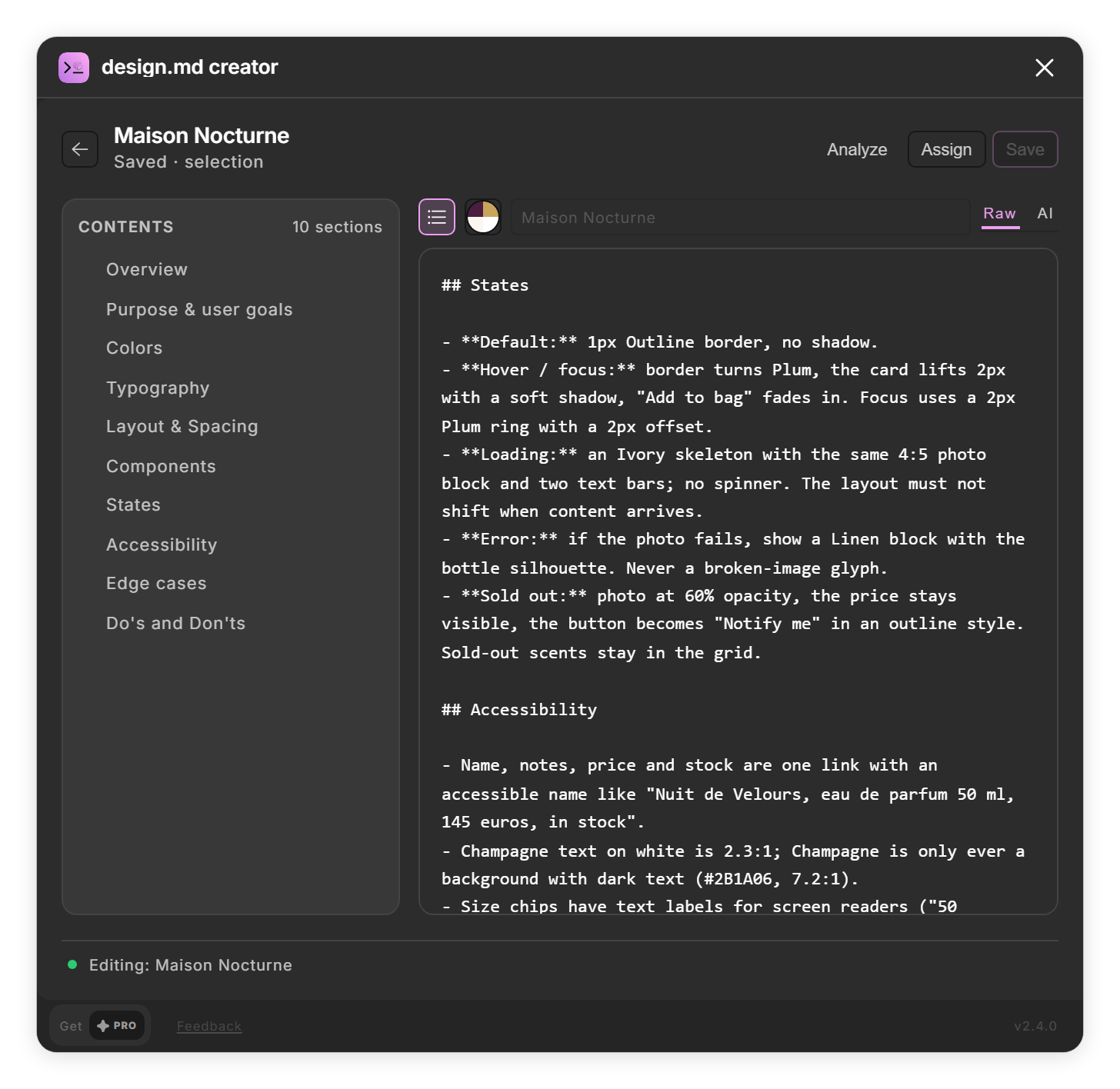
Contents jumps to a heading in the Raw text (step 4). - Save it Click Save. The document is added to Your documents with the status "Saved."
Tips
- Turn on Generate with AI in the New menu to add an AI-written rationale to Selection and Variables documents. It needs an AI provider in Settings.
- Back returns to the library without asking, so save first. Deleting a tile with its ✕ is immediate and cannot be undone.
Result
A DESIGN.md document in your library, ready to refine, assign to frames or share.
If something goes wrong
- "Select at least one frame, component, or instance to extract." Selection needs something selected on the canvas. Select a frame, or use Current page instead.
- My document lists colors and fonts I did not select. Selection and Current page also list every local color and text style and the spacing and radius variables of the whole file, not only what is selected.
- A Variables document has spacing or radius values that are not in my file. Where the file has no tokens for a section, design.md creator fills it with the Polished example's values. Edit or delete them in the Raw tab.
Common questions
What is a DESIGN.md file?
A Markdown file that describes a design system: design tokens such as colors, type, spacing and radii in a YAML block at the top, followed by written guidance such as an overview, components and do's and don'ts. AI coding tools can read it to build interfaces in that style.
Which scan should I use?
Variables when your file uses variables and text styles; it gives the most complete, structured document. Selection or Current page when the design lives in layers and fills; they list what they find without prose.
Are hidden layers scanned?
No. Hidden layers are skipped, and only the first mode of each variable is read.
Does design.md creator connect to Google Stitch?
No. It writes DESIGN.md files; it has no connection to Google Stitch or other tools.