Choose a layout style: classic, staggered or brick
Pick one of the three tiles at the top of the settings to arrange your cards as classic masonry, staggered columns or brick rows, and set how far they shift.
Goal
Give a grid more rhythm by offsetting its columns or rows, without placing a single card by hand.
Before you start
- A frame, group or section with layers inside, or several layers that share the same parent.
Steps
- Select the layers Select the container, or select the layers you want to arrange.
-
Pick a layout style The three tiles at the top of the settings are the layout styles. Classic masonry is the default: columns stack from the top and each new card goes into the shortest column. Staggered columns pushes every second column down. Brick rows lines the cards up in rows and shifts every second row sideways.
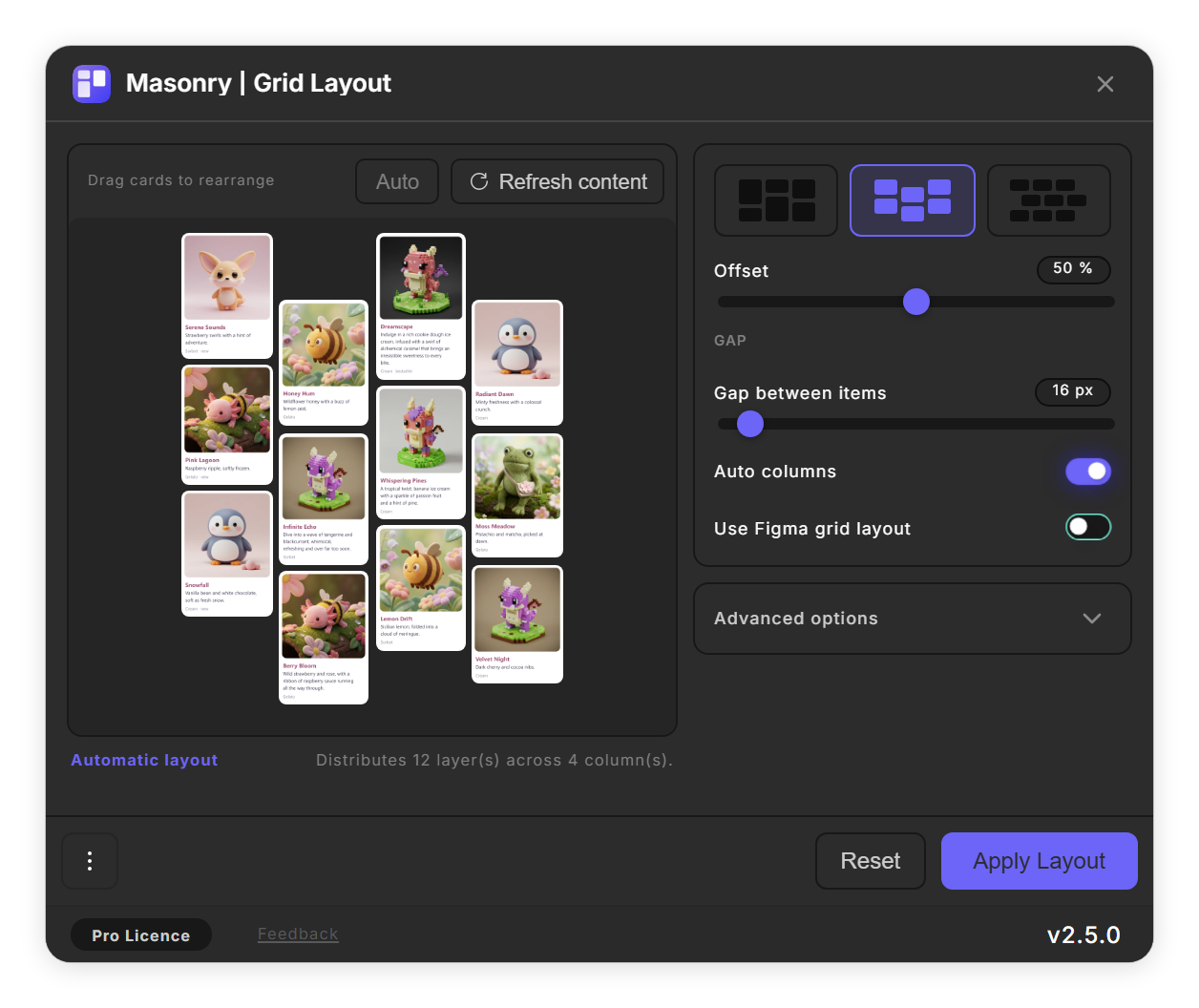
Staggered columns pushes every second column down (step 2). -
Set the offset Staggered columns and Brick rows show an Offset slider. It sets the shift as a share of one card plus the gap, from 0 to 100 percent. It starts at 50 percent, which is half a card. Drag the slider, or click the value and type a number.
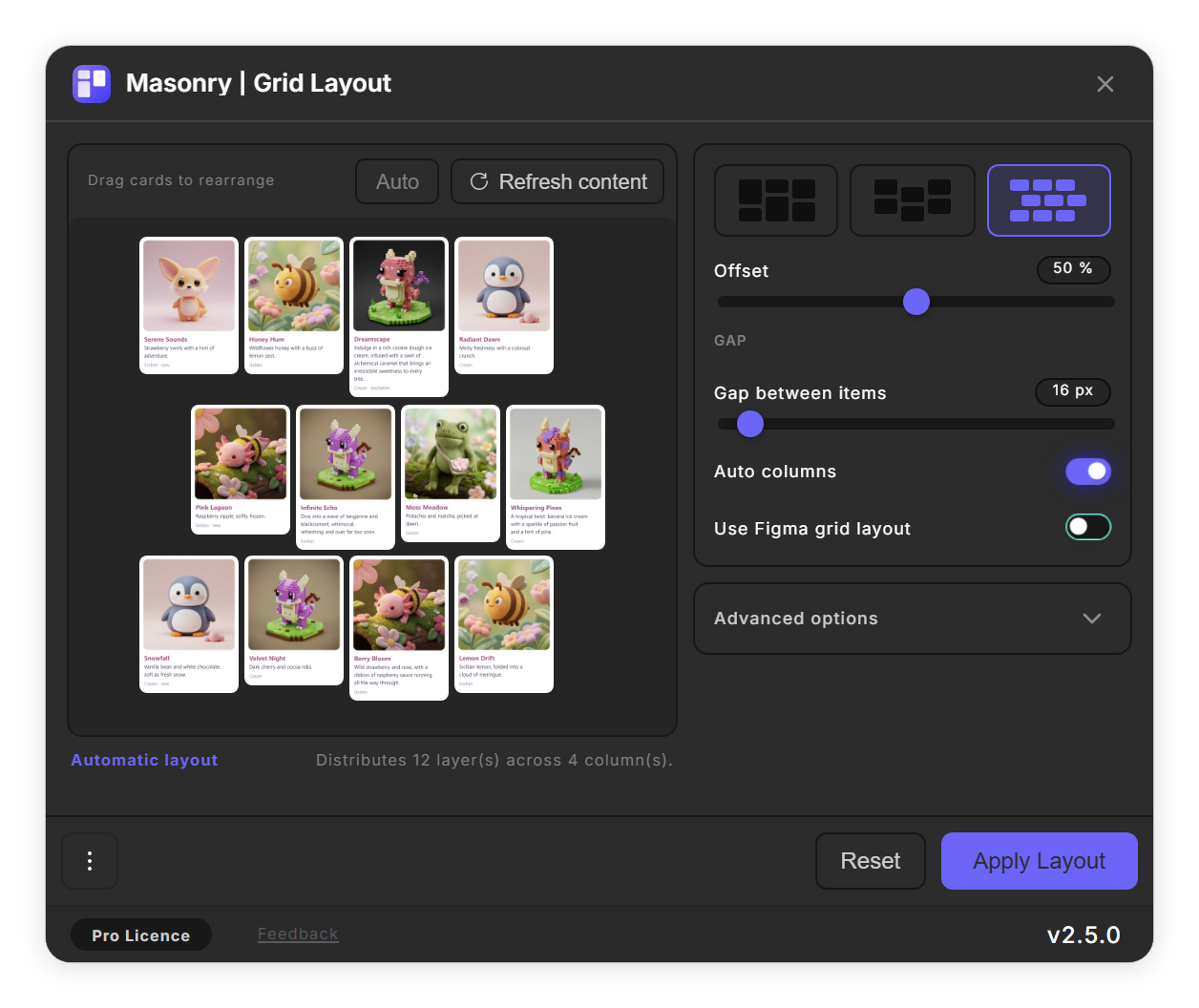
Brick rows with the Offset slider at 50 percent (step 3). - Apply The preview shows the style as you change it. Click Apply Layout. The style and offset are saved on the container, so you can change them and apply again.
Tips
- Brick rows needs room for the shift, so Auto columns may fit one column fewer than classic masonry.
- Reset goes back to classic masonry.
Result
Your cards sit in the style you picked, offset by the amount you set.
If something goes wrong
-
The bottom of a staggered layout is cut off.
Pushing columns down makes the layout taller, and applying from the plugin window does not change the frame's size. Make the frame taller, or turn off Clip content.
-
Brick rows leaves space under some cards.
Every card in a row starts at the same height, so shorter cards leave space below them. Brick rows works best with cards of similar height.
Common questions
Do layout styles need Pro?
No. All three styles and the Offset slider are free. Each apply counts as one layout of the day, as with classic masonry.
Do layout styles work with Use Figma grid layout?
Yes. The grid gets a row or column only where a card starts. Figma needs the gap between tracks, so an offset smaller than the gap cannot show in a native grid and those cards line up.