Change the language, open the FAQ and replay the welcome tour
QRLY's main menu holds the language switch, a searchable FAQ, the version notes, a feedback link and the welcome tour.
Goal
Find your way around QRLY's main menu: use it in your own language, look up a quick answer and see the tips again.
Before you start
- QRLY open in Figma.
Steps
-
Open the main menu Click the three-dot button in the top bar, next to the Generate, Style and Export tabs (screen readers announce it as Open main menu). Its entries include UI Settings, Info and FAQ & Help. UI Settings and Info open a submenu; Back takes you to the main menu again.
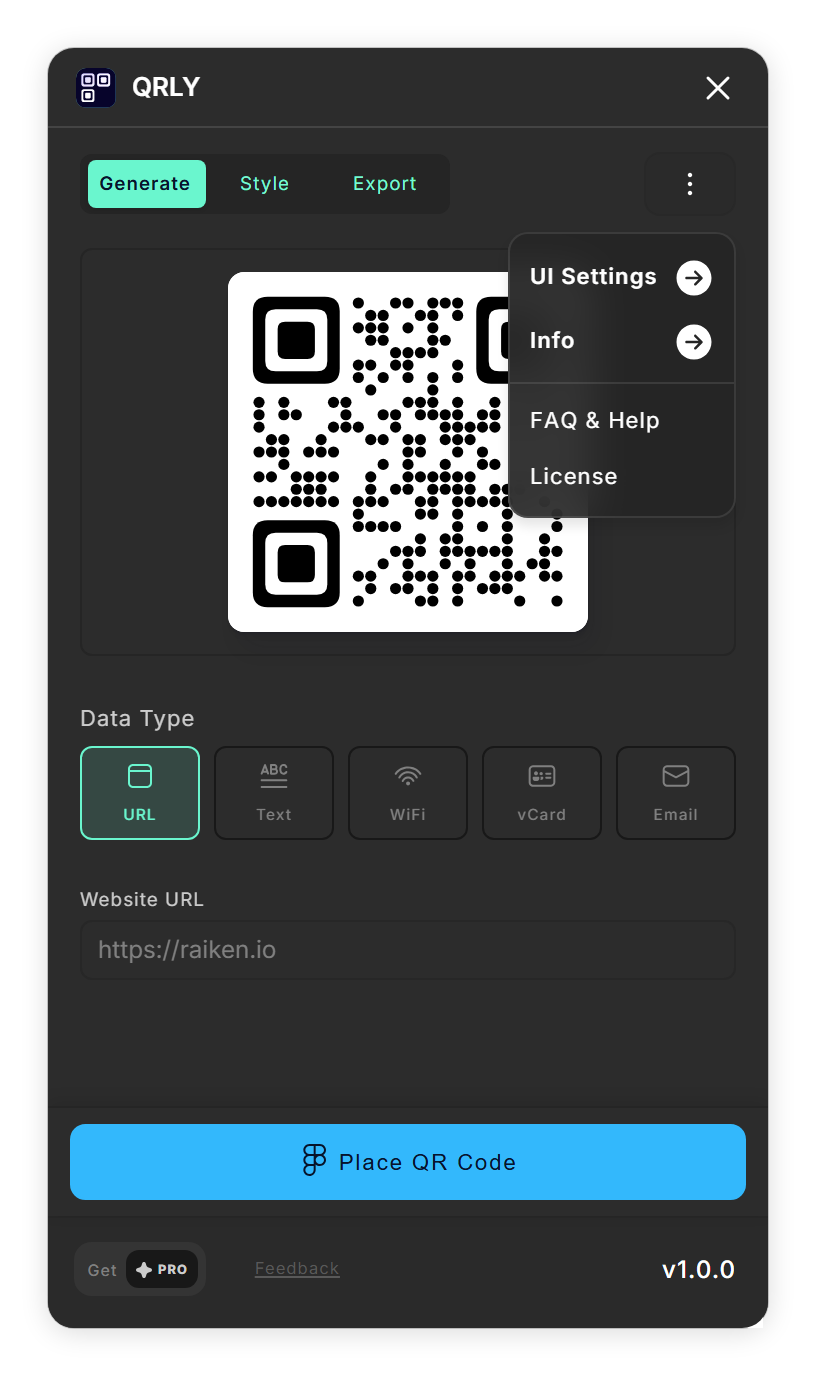
The main menu. -
Change the language Open UI Settings and pick a language from the Language list. It offers US English, ES Español (España), LA Español (Latinoamérica), FR Français, DE Deutsch, JP 日本語, KR 한국어, BR Português (Brasil) or TR Türkçe. QRLY switches at once, confirms with a message such as 'Language changed to Deutsch' and remembers your choice the next time you open it.
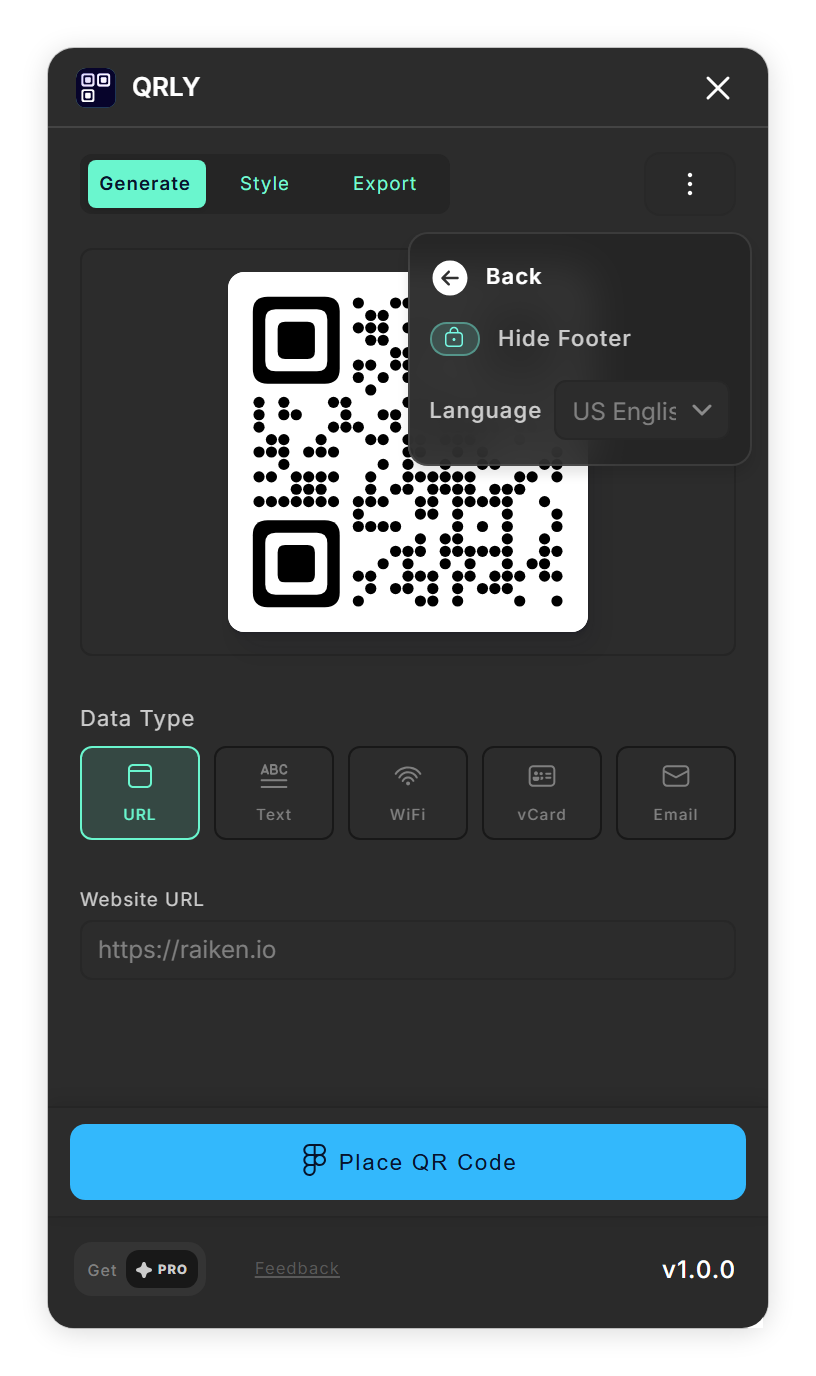
UI Settings, where you pick the language. - Search the FAQ Click FAQ & Help. A Frequently Asked Questions window opens: type in Search FAQs... to filter the questions, or click a topic chip such as basics, style or export to see only those. More shows every topic. Click a question to open its answer.
- See the version and send feedback Open Info. Version & Patch Log shows the QRLY version you are running with a short list of what the plugin does. Feedback opens QRLY's page in the Figma Community in your browser, where you can leave a comment or report a problem.
- Replay the welcome tour Open Info and click Show Onboarding. The tour starts with Welcome to QRLY!, then three tips: Choose Your Data Type, Customize Your Style and Export Options, followed by a Discord invite and a feedback slide. Move through it with Next and Back, the dots or your arrow keys, and close it with Close on the first slide, Finish on the last, or Esc.
Tips
- The welcome tour opens by itself the first time you start QRLY. Show Onboarding brings it back whenever you want the tips again.
- Search FAQs... looks through the answers as well as the questions, so a single word such as logo or PNG is usually enough.
Result
QRLY speaks your language, and the FAQ, the version notes and the welcome tour are one click away.
If something goes wrong
- Some text is still in English after changing the language. The menu, the tabs and most labels in Generate, Style and Export switch language. The welcome tour, the FAQ and the version notes are written in English only.
- A window with the version notes opens when you start QRLY. QRLY shows its version notes once after a larger update. Close it with Esc or the main button at the bottom; Info → Version & Patch Log opens it again later.
Common questions
Which languages does QRLY support?
Nine: English, Spanish (Spain), Spanish (Latin America), French, German, Japanese, Korean, Brazilian Portuguese and Turkish. Pick one under UI Settings → Language.
Which language does QRLY start in?
The one you last picked. The first time, QRLY tries to match the language of your Figma setup and starts in English when it cannot.
How do I see the welcome tour again?
Open the main menu, go to Info and click Show Onboarding.
Where do I report a problem or suggest a feature?
Open the main menu, go to Info and click Feedback. It opens QRLY's page in the Figma Community.