Check color contrast with WCAG and APCA, and build hue ramps
Click a color to open the compare panel, read its contrast score against other colors, nudge text to AA or AAA, and save generated hue steps to your list.
Goal
Make sure text and background pairs from your palette are readable, and extend a color into a ramp of lighter and darker steps.
Before you start
- A color list in Color Extractly Classic.
Steps
-
Open the compare panel Click a color in the list. The panel shows Example Text in that color on another color, with a PAS score and its tier, from Poor to Exceptional.
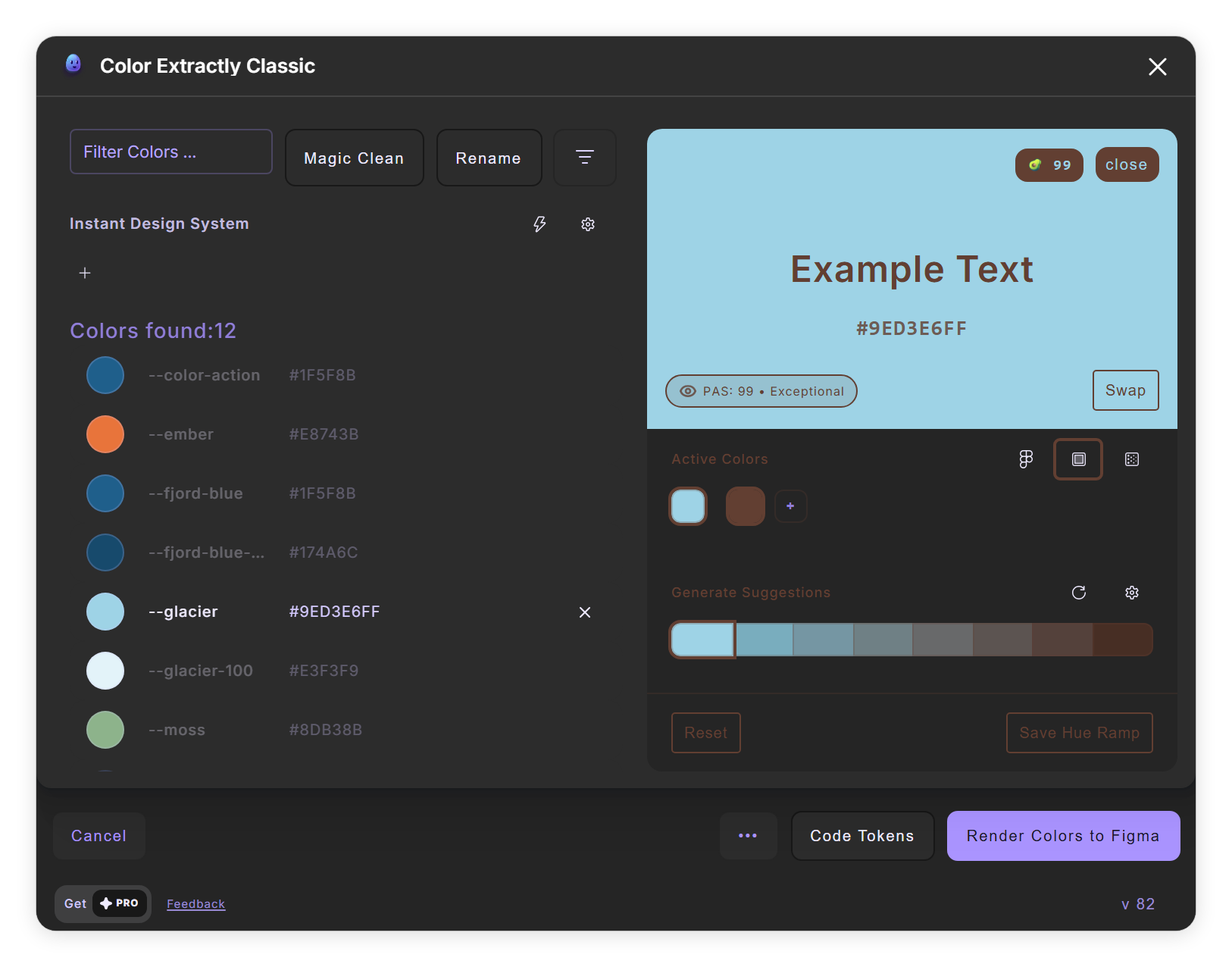
The compare panel for a color (step 1). - Pick what to compare Under Active Colors, click + to add colors from your list. Click Swap to switch text and background, and change the font in Typography Settings to test real sizes.
-
Read the details Click the PAS badge. The sheet shows the WCAG ratio (4.5:1 or more is AA, 7:1 or more is AAA), APCA, and color-blindness robustness, plus badges such as APCA-Body-Text.

The details behind the PAS badge, with Quick Adjust below (steps 3 and 4). - Fix the contrast Under Quick Adjust Text Color, click 3.0 Large, 4.5 AA or 7.0 AAA to change the text color just enough to reach that ratio, or Auto Max for black or white.
- Save a hue ramp Under Generate Suggestions, set Hue steps and Contrast in the settings, then click Save Hue Ramp. The steps are added below the color as new entries.
Tips
- Changes you make to the base color in the panel are saved to the list automatically.
- Instant Design System in the ••• menu generates a full palette with brand, semantic and neutral ramps, but it replaces your current list. Click + in its bar to keep a snapshot first.
Result
Color pairs you know are readable, and ramps of related colors in your list.
If something goes wrong
- The details sheet says "WCAG Only". The full analysis could not run for this pair, so only the WCAG ratio is shown.
Common questions
What is the PAS score?
Color Extractly's own readability score from 0 to 100, made of 50% luminance contrast, 25% local contrast and 25% color separation. 85 or more is Exceptional, under 25 Poor.
Does it simulate color blindness?
It measures how well a pair stays apart for protan, deutan and tritan vision and shows it as a score and badges. It does not show a simulated picture.