Go back to frames you just worked on
Last selections lists the frames you selected recently, so you can jump back without saving a bookmark.
Goal
Return to where you were a minute ago without bookmarking every stop.
Before you start
- Bookmarkly open while you work.
Steps
- Work as usual Keep Bookmarkly open and select layers on the canvas. Each time you select something in a different top-level frame (or another top-level layer), Bookmarkly remembers it. Jumping to a bookmark also remembers where you came from, if you had something selected.
-
Open Last selections Click the Last selections button in the bottom bar, next to the Presentation Mode button. A row of cards opens above the bar, newest on the right; each shows the frame's name, how long ago you were there and the page.
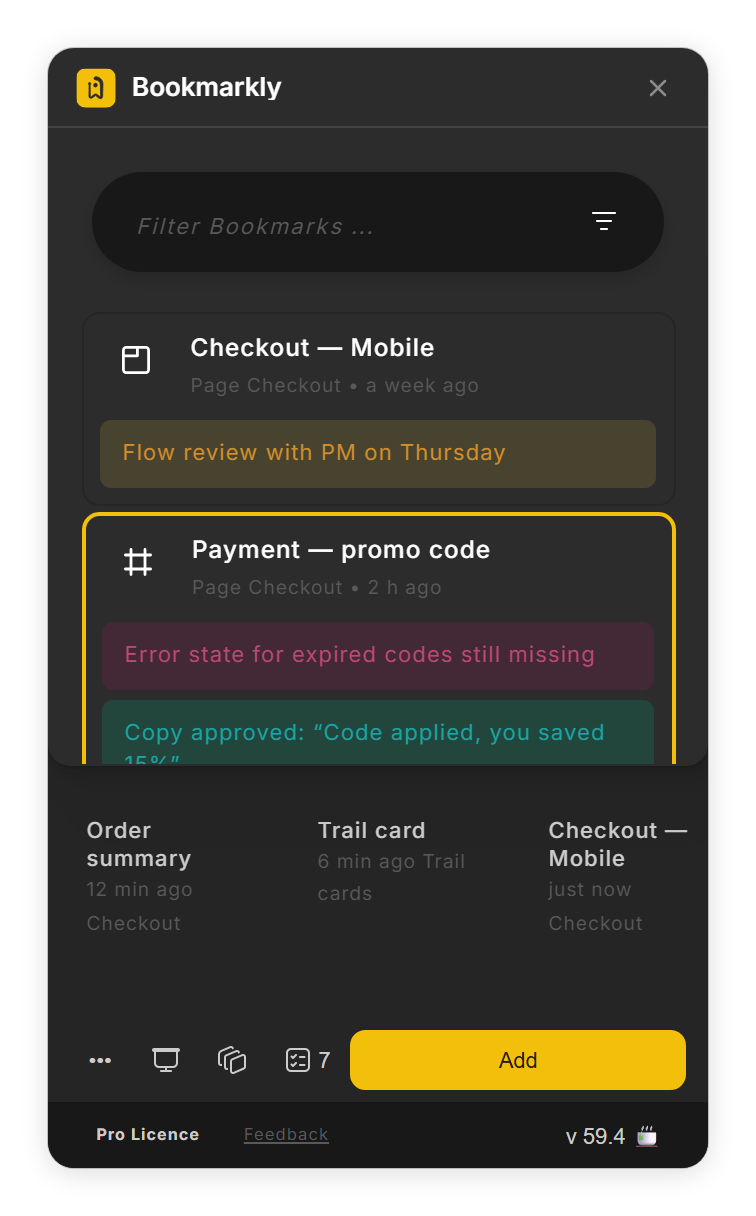
Last selections: the frames you were just in (step 2). - Jump back Click a card. Bookmarkly takes you back to the view you had, switching page if needed, and selects the layer you had selected.
- Close the row Click Last selections again.
Tips
- Save a bookmark for places you come back to often; Last selections is for the last few minutes.
Result
You are back where you were, with the same layer selected.
If something goes wrong
-
Last selections is greyed out.
Bookmarkly needs two remembered places first. Select layers in two different frames while it is open.
-
The cards are gone after I reopened Bookmarkly.
Last selections lives only while Bookmarkly is open and keeps the last 15 frames. Add a bookmark for any place you want to keep.
-
Selecting another layer in the same frame adds no card.
That is on purpose: Bookmarkly adds a card when you move to a different top-level frame, so the row stays short.
-
The canvas still glides to bookmarks although Animated Movement is off.
After you reopen Bookmarkly, switch Animated Movement on and off once more. In this version the switch shows your saved choice but applies it only after you flip it.
Common questions
Can I stop the canvas from gliding when I jump?
Yes. Open Open Menu (•••) → UI Settings and switch off Animated Movement: bookmark jumps then go straight to the spot. A jump to another page never glides, and Last selections jumps always do.
Do my teammates see my Last selections?
No. Bookmarkly keeps the list only while it runs on your computer and clears it when you close the plugin.