







Whether you work as a UX, visual, or interaction designer, the design process forms the foundation for every design project. It gives you a clear thread to follow and keeps you from burning unnecessary resources later in the project.
I am not going to dictate what your design process has to look like, but I can help you set up your own by walking through the core stages with you step by step.
What is the foundation of the design process?
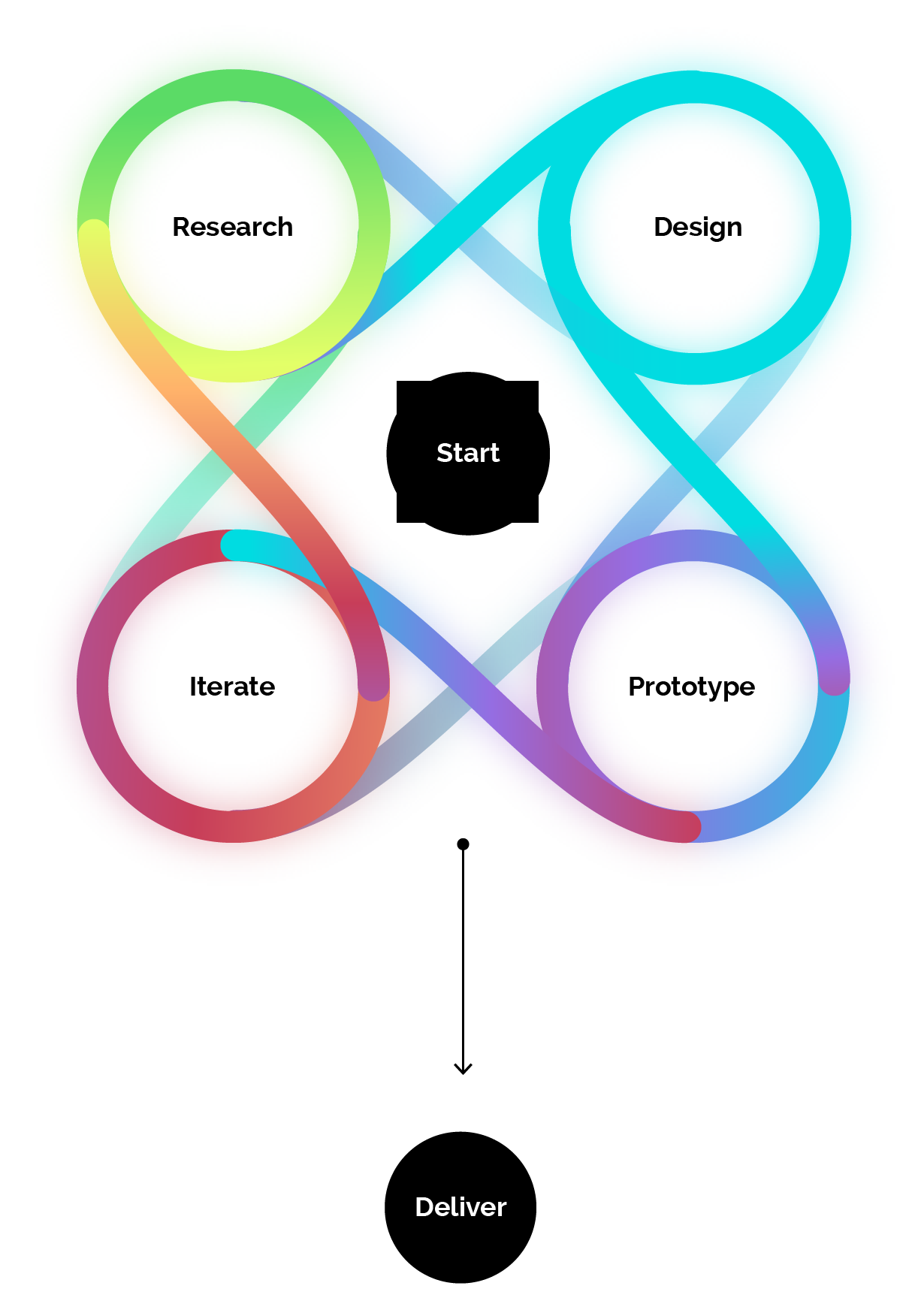
In UX and HCI (Human Computer Interaction) projects, a structured design process helps you understand your users and how they actually behave. For years, the shared consensus has revolved around four core steps: Research → Design → Prototype → Iterate.
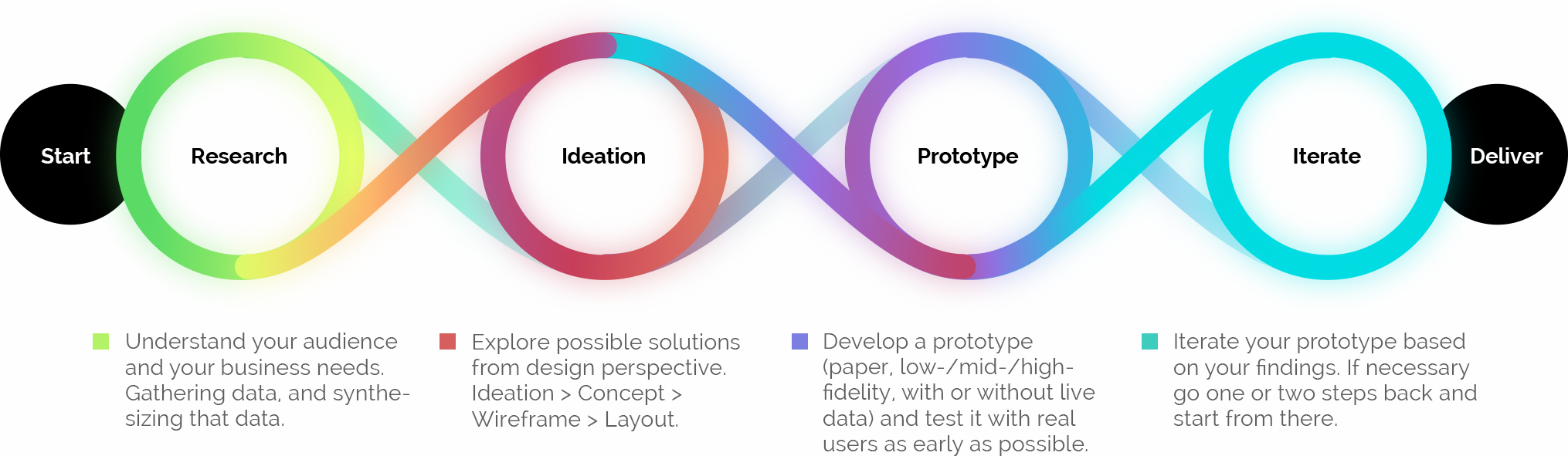
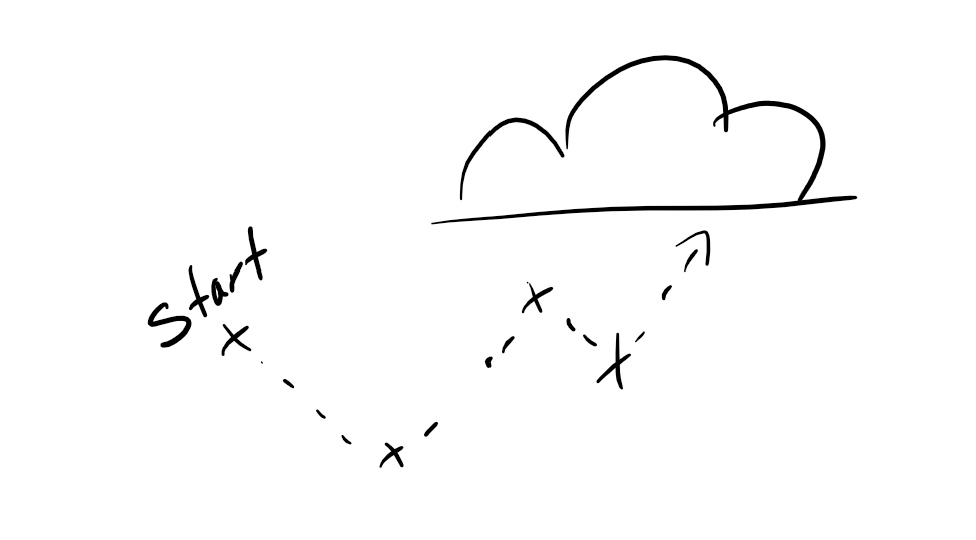
Even with that shared consensus, you have plenty of room to adapt the process to your project and the way you work. Because it is often drawn as a straight line, it is easy to assume the design process runs strictly from left to right. It does not. Before kicking off a project, take a step back, assess where you stand, and decide which phase is the right starting point for your project.
For simplicity, I focus on the general four-step model in this article and will cover the expanded process from my Design Thinking article in a separate post.
Research: understand the user and the business requirements
You can have endless ideas or craft the flashiest layouts in the world, and none of them will help if you build past your audience or the actual problem. That makes research essential for any good product.
"No matter how good the team or how efficient the methodology, if we're not solving the right problem, the project fails."
– Woody Williams
In this phase, sit down and dig into the subject matter and its dependencies. Good questions to start with are: What are the business requirements? Who is the target audience? What value does this create for the user? Why is this feature or product worth building? Surveying the terrain early gives your project a solid foundation that can weather later storms like shifting stakeholder feedback.
Personally, I like to kick off the design process with a workshop to get everyone involved aligned on the project from day one.
Design: your design is only as good as your research
Here you take the findings from your research and use them as the basis for your design concepts. Do not jump straight into visual polish. Start with rough wireframes and concepts in Axure, Balsamiq, or classic pen and paper.
"All things are created twice; first mentally; then physically. The key to creativity is to begin with the end in mind, with a vision and a blueprint of the desired result."
– Stephen Covey
Because your decisions rest on research, you can back up your artifacts with real arguments. Ideally, this phase gives you the room to explore multiple design directions and pull the best out of your project. Once you have a solid concept, you can move into visual layouts or start building out a prototype to iterate and refine.
Prototyping: bring your concept to life
Once your concept is validated and the foundation is in place, it is time to prepare for your first user tests. First, be clear about what the prototype needs to prove: which requirements does it need to cover? Depending on that goal, your prototype can be rough or detailed.
If you only want to test a single user flow, cover just that flow. If you want to give your client a tangible first impression, a simple click-dummy in InVision, Marvel, or Adobe XD may be enough. If you have the time and want to test under realistic conditions, you can build an HTML, CSS, and JavaScript prototype with live data. That takes noticeably more time, which you might miss during testing, but it delivers the strongest results in qualitative user tests and creates a much deeper connection for the participant.
For now, what matters is knowing the spectrum of prototyping options so you can pick the level of fidelity your project actually needs.
Iteration: refine with real feedback
After your prototype has been validated in qualitative user tests or reviewed for initial feedback, you fold those findings back into the work. If the feedback is manageable and the prototype or layouts are already close to final, you can either work the changes into the prototype and run another qualitative test round, or clear the design for development and run quantitative A/B tests with your engineers.
Why do stakeholders need a seat early on?
Just as in Design Thinking, involving the people around the project is critical. Your stakeholders can include users, fellow designers, product managers, or C-level leadership. Keep them informed about the project's status throughout so nobody gets blindsided by a supposedly "finished" product at the end. Surprising stakeholders late can get a project shelved or send you back to square one, simply because someone held a different expectation or had context that would have reshaped the whole approach.
I prefer to bring stakeholders on board right at the start with a kickoff workshop and build the project's foundation together. That way, everyone has been heard and aligned, provided you keep the group focused on the stakeholders who actually make decisions.
Wrapping up
The design process is a practical framework for building user-centered products while keeping control of your project. It lets you check your ideas against real user needs early and keeps wasted effort to a minimum.
Remember that the process is flexible: you can jump back and forth between phases whenever new findings call for it, and before starting any project, pause to choose which phase makes the most sense as your entry point.
In upcoming posts, I will dive deeper into the individual phases of the design process. If you enjoyed this article and want to read more on the topic, hit the "I LIKE THIS SHIT!" button or share your thoughts in the comments.